

What Are Credits?
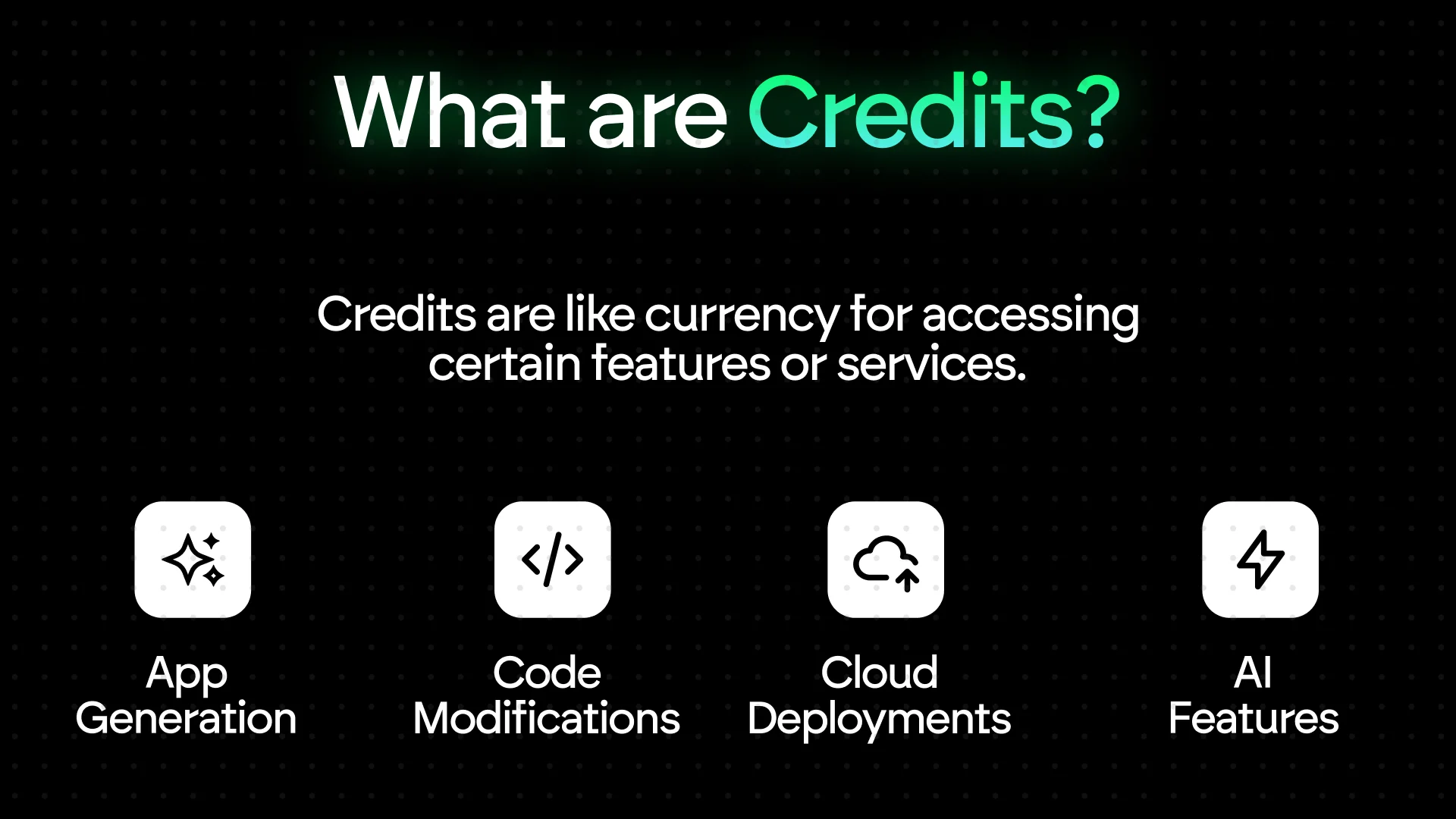
- Natural language app generation
- Code generation and modifications
- Frontend & backend development
- Testing and debugging
- Cloud deployments (50 credits/month per app)
- Integrations and troubleshooting
Types of Credits
Per-task limit: 1000 credits
Default allocation: 5 credits per run (adjustable up to 1000)
Default allocation: 5 credits per run (adjustable up to 1000)
Credit Rollover Policy
- Monthly Plans: Unused subscription credits reset every billing cycle.
- Top-up Credits: Never expire.
- Usage Priority: Monthly credits are used first, then top-ups.
Explore Our Plans
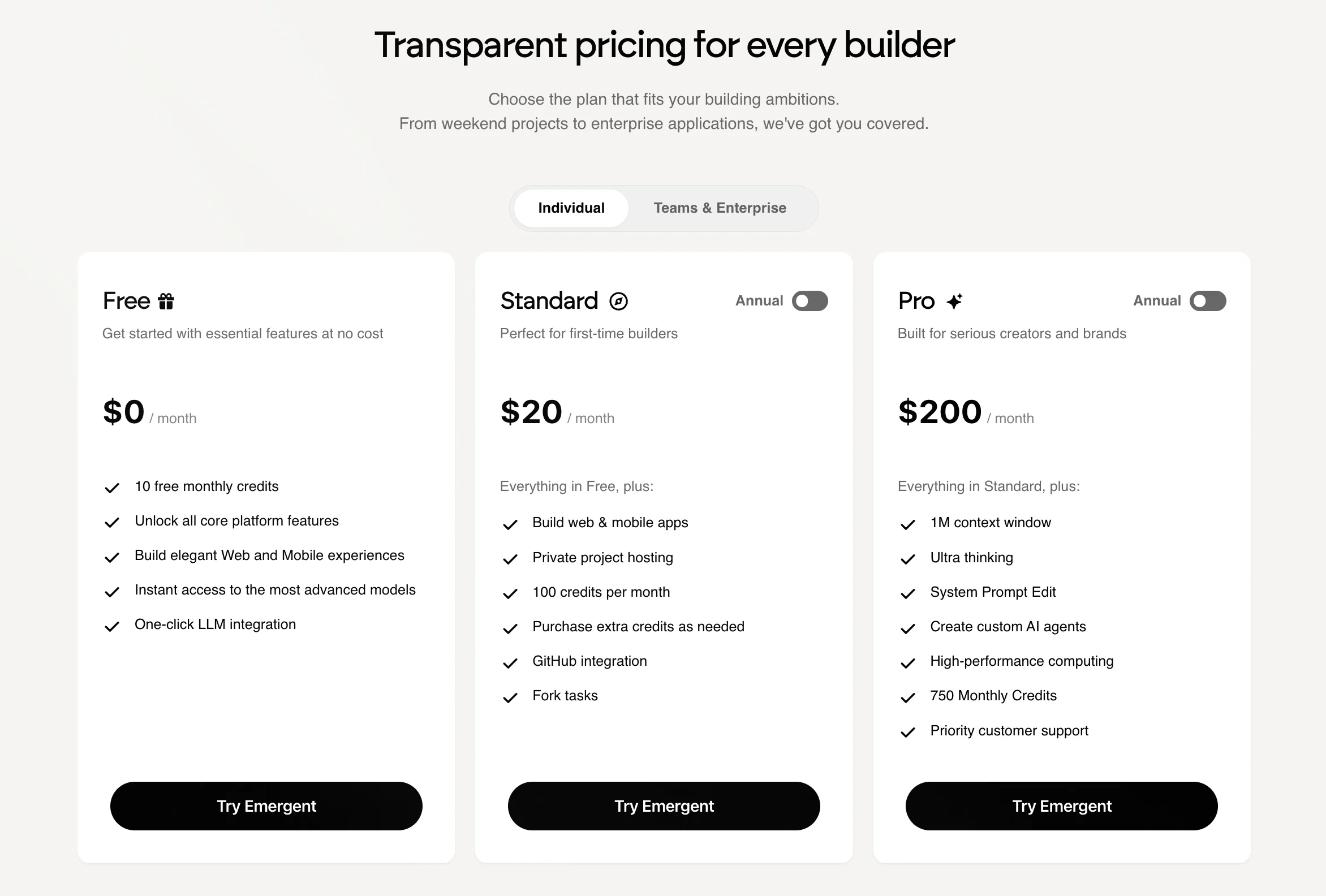
Standard Plan - $20/month
Perfect for solo developers or small projects who want reliable performance and essential AI-powered tools. Includes:- 100 credits/month
- Mobile App Development
- Private Apps
- 10 free monthly credits
- Ability to buy additional credits anytime
Pro Plan - $200/month
The best choice for serious developers, power users, and startups scaling AI workflows. Includes:- Everything in Standard, plus:
- 1M context window for extended reasoning
- Ultra Thinking Mode for complex builds
- System Prompt Editing
- Custom Agent Creation
- Mobile App Development (Expo / React Native)
- 2× Bigger Machine Performance
- 750 Monthly Credits
- 10 free additional monthly credits
- Priority Support
Pro gives you full control over agent behavior and large-scale context handling — perfect for advanced projects.
Team Plan - $300/month
For teams and organizations that build collaboratively, share resources, and manage multiple projects. Includes:- Everything in Pro, plus:
- Shared Team Pool: 1250 credits/month
- Central Billing & Administration
- Collaborative Workspace
- Up to 5 members per team
- Add more members via support
Designed for teams building multiple apps - with shared credits, streamlined billing, and workspace control.
Need help choosing a plan? Start with Standard - you can upgrade instantly to Pro or Team anytime.
Plan Comparison Table
Ready to upgrade? Unlock more power instantly by upgrading your plan.
Credit Accounting & Calculations
Monthly Credit Behavior
- Subscription Credits: Allocated monthly, reset each billing cycle.
- Top-up Credits: $10 for 50 credits, never expire.
- Usage Order: Subscription → Top-up.
Monthly subscription credits do not roll over.
Prorated Upgrade Logic
If you upgrade from Standard (200/month) mid-cycle, your billing and credits are automatically adjusted so you only pay for the remaining days in your current billing cycle. Example Scenario:Billing Calculation
You’ll be charged only for the unused portion of the month at the new plan’s rate.
Your billing cycle remains the same - it doesn’t restart.
Your billing cycle remains the same - it doesn’t restart.
Credit Adjustment
On upgrade, you immediately receive the remaining difference between your current and new plan credits.
In this example:
750 (Pro) − 60 used = 690 new credits added instantly.
Downgrade Logic
- Takes effect next billing cycle.
- Current credits stay active until cycle end.
- New plan credits begin next renewal.
Top-Ups (Credit Refills)
Running low on credits? You can easily purchase additional credits anytime — directly from the subscription modal.Current Top-Up Options
All top-up credits are one-time purchases that never expire.
You can buy as many as you need, anytime.
You can buy as many as you need, anytime.
How Top-Up Credits Work
- Instant Activation: Credits are added to your balance immediately after purchase.
- No Expiry: Top-up credits remain available until used.
- Usage Priority: Subscription credits are used first, followed by top-up credits.
- Flexibility: Ideal for short-term projects, high-load months, or team bursts.
When to Top-Up vs. Upgrade
Pro Tip: Top-ups give flexibility, but upgrading usually provides better long-term value if you’re using large credit volumes.
How to Purchase
- Click on Credit Balance, click on buy more credits.
- Choose a bundle or enter a custom credit amount
- Complete payment securely - credits will appear in your balance instantly
Top-up credits never expire, can be stacked, and are usable across all plans — the perfect way to stay productive when your monthly credits run out.
What Happens if You Run Out of Credits?
When credits hit zero: You can still:- Access projects & code
- Edit files manually in VS Code
- View deployments
- Access documentation
- Generate new code
- Run tests
- Deploy new builds
- Use AI debugging
To continue building, wait for your next credit refresh or purchase a top-up.
Deployment Costs
50 credits/month per deployed app Includes:- Managed production infrastructure
- Uptime monitoring
- SSL & custom domains
- Environment variables & secrets
Canceling a Plan
If you cancel your plan:- Unused monthly credits expire at cycle end
- Top-up credits expire too
- Projects remain accessible
- Deployments stay live until the billing cycle ends
- Use remaining credits
- Save code to GitHub (Standard or Pro)
- Download key files
Profile → Account Settings → Manage Plan → Cancel Plan
Ready to Build?
Launch your first AI-powered project in minutes. Start building now → Have questions?Join our Discord or email support@emergent.sh